Skip to content
This repository was archived by the owner on Feb 2, 2024. It is now read-only.

PATAND-267: Update other consent layout#224

Merged
norberto-app merged 5 commits intodevelop-medablefrom
task/PATAND-267_Update_consent_layout
Jul 7, 2020
Merged

PATAND-267: Update other consent layout#224
norberto-app merged 5 commits intodevelop-medablefrom
task/PATAND-267_Update_consent_layout

Conversation

@jaimesDSG
Copy link
Copy Markdown

Objective

Implement the change for the completion step

Branches

  • PAT: task/PATAND-267_Update_consent_layout
  • Axon: task/PATAND-267_Update_consent_layout
  • RS: task/PATAND-267_Update_consent_layout
  • Cortex: development

SCENARIO:

Credentials:

  • Environment: QA
  • Org: hybridstudy
  • Study: QA-Regression
  • New user

Steps:

  • open flask/ resumed it
  • Start as a new user
  • Start the consent task
    Expected:
  • The new UIs will fit these zeplin

Close PATAND-267

@Gryzor
Copy link
Copy Markdown

Gryzor commented Jul 1, 2020

I noticed a few inconsistencies. Comments incoming.

@Gryzor
Copy link
Copy Markdown

Gryzor commented Jul 1, 2020

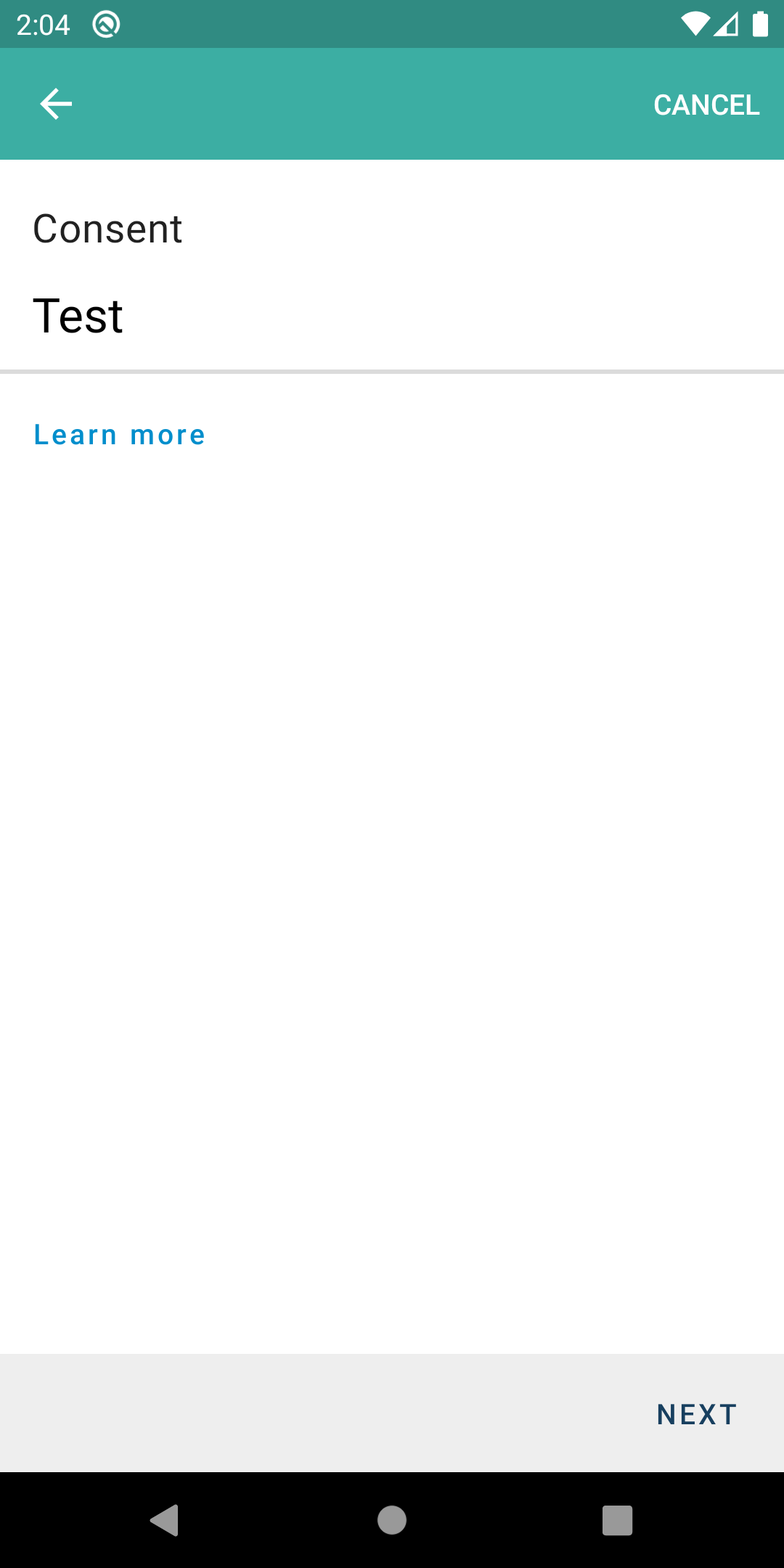
First Consent Page. Expand the image below to see it. I'm always comparing to this zeplin compo and similar ones.

Details

Screenshot_1593605068

  1. First thing I noticed was the colors. The Theme for the consent is the generic teal, not BLUE like the rest of the app.
  2. the Learn more is not correctly upper-case like in the Zeplin.
  3. The Next button appears to be a secondary color in Zeplin (same as learn more) yet in the app I see it dark blue.

Later on...

Details

Screenshot_1593605335

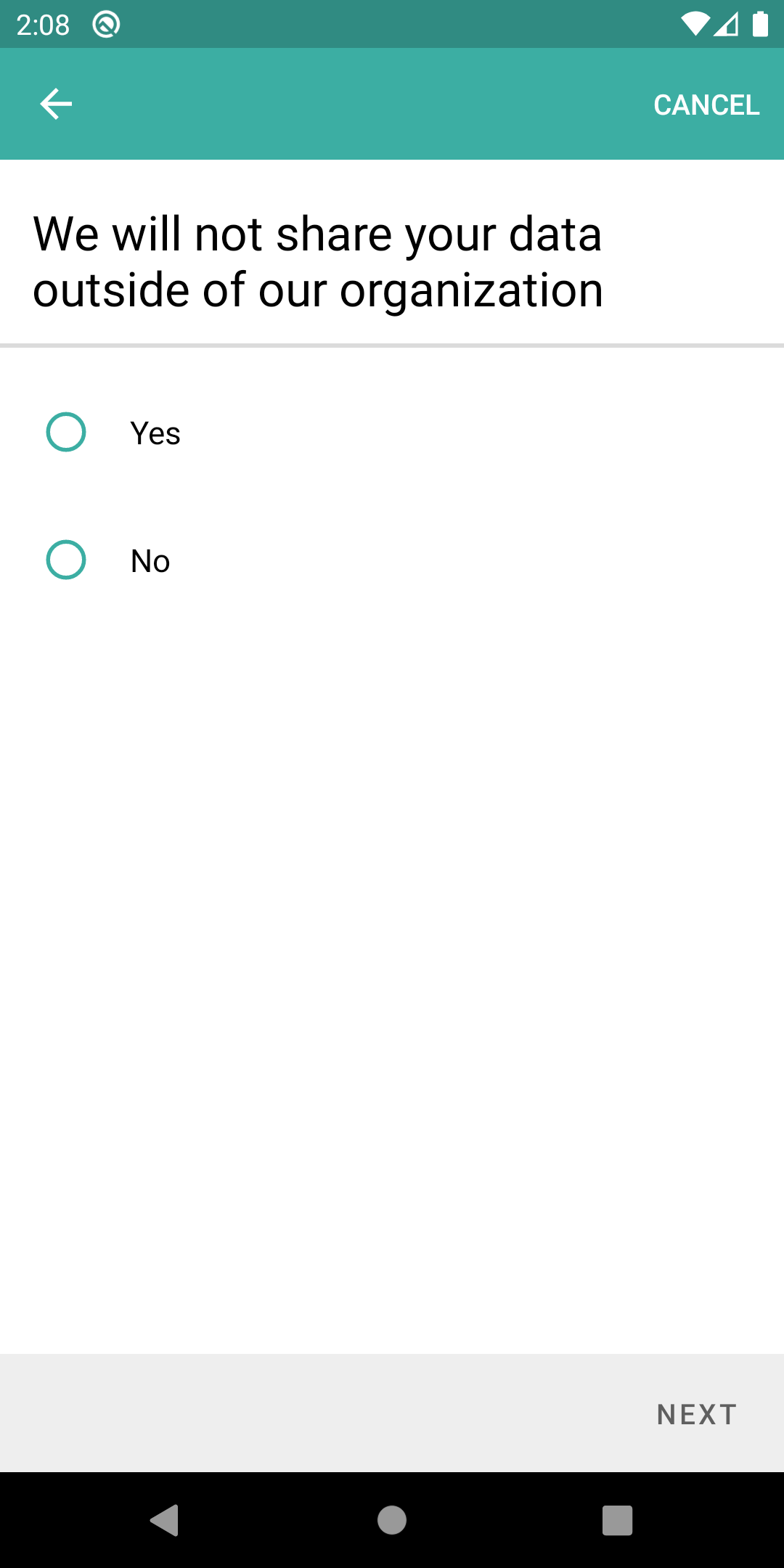
Here I see the Theme issue. The RadioButtons are themed aquamarine/teal, they should respect the primary theme of the app. This theme issue is observed across the consent so I won't repeat it.

Details

Screenshot_1593605427

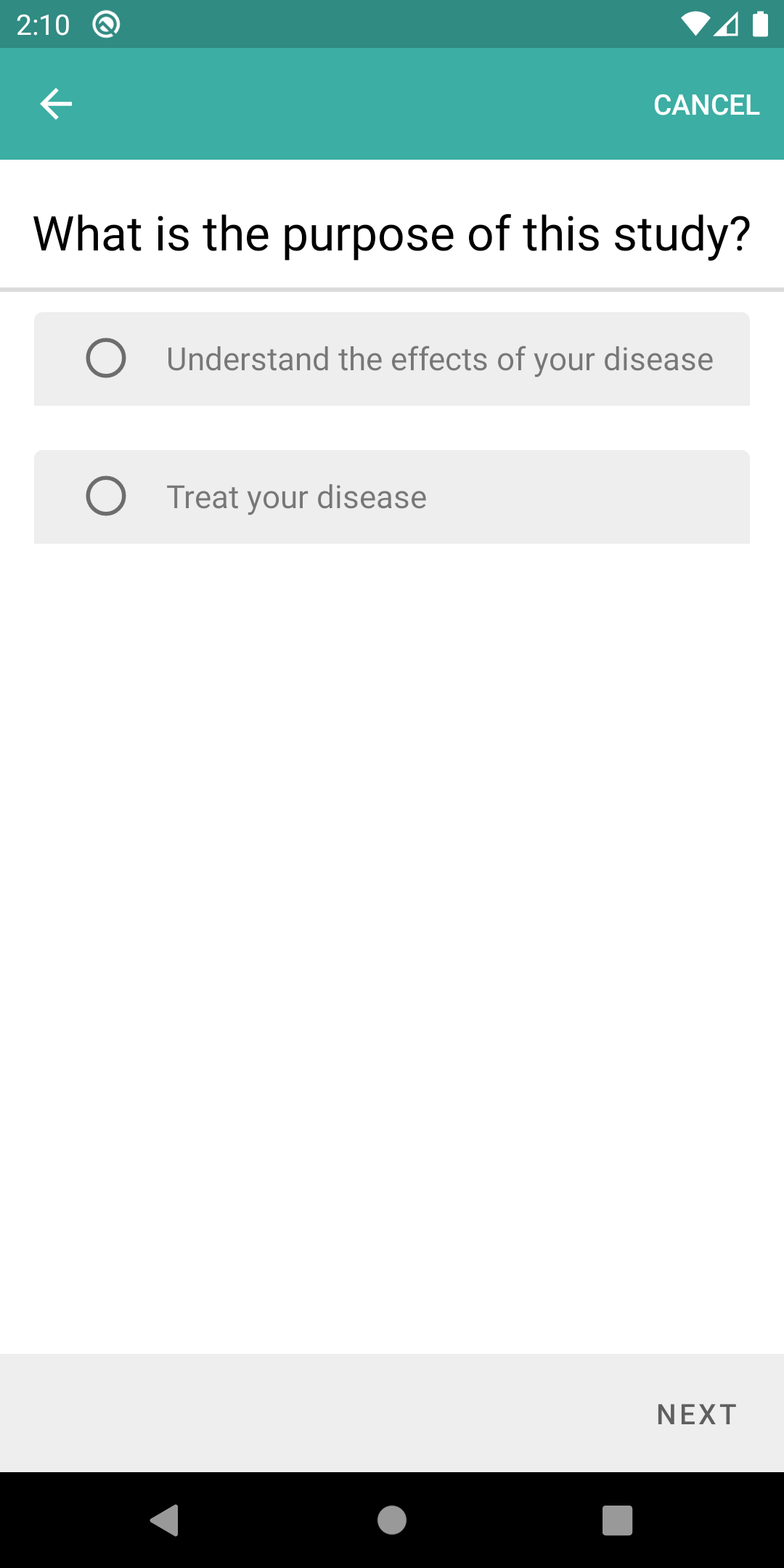
In this supposed to look like that with the gray font + gray background?

Details

Screenshot_1593605565

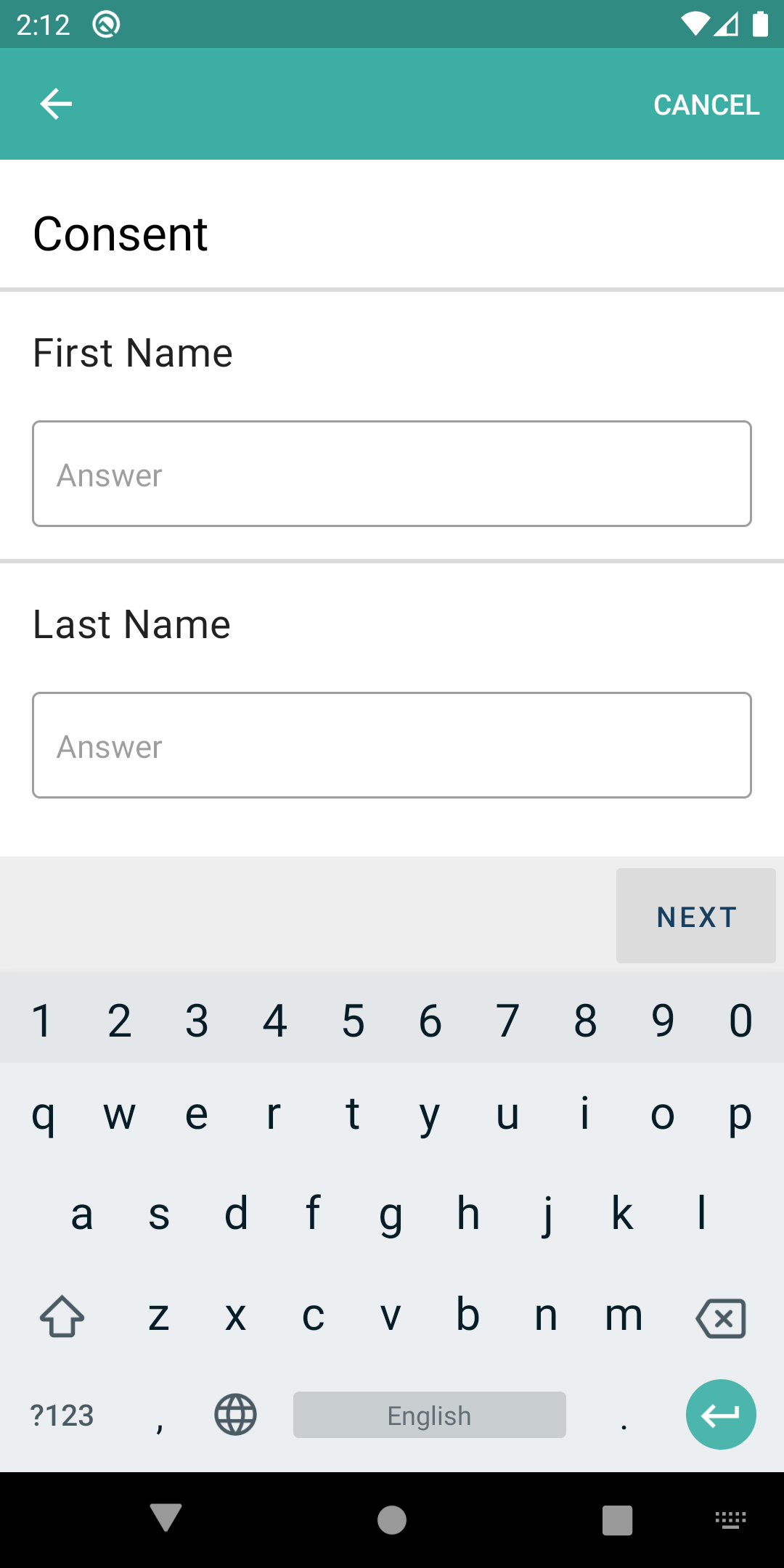
  1. ^ This doesn't look/behave like a true MaterialDesign component. I was expecting the "First Name" to be the hint until the box had focus and then move it up, like the control does by design. The text "answer" is redundant and shouldn't even be there.

  2. There's a separator between both text boxes.

I've compared against the zeplin comp for this screen. I still think that comp is wrong, the "hint" (answer) shouldn't be there. The hint should be First Name and Last Name and they should look like that when you tap on them (sans the "answer" text).

Details

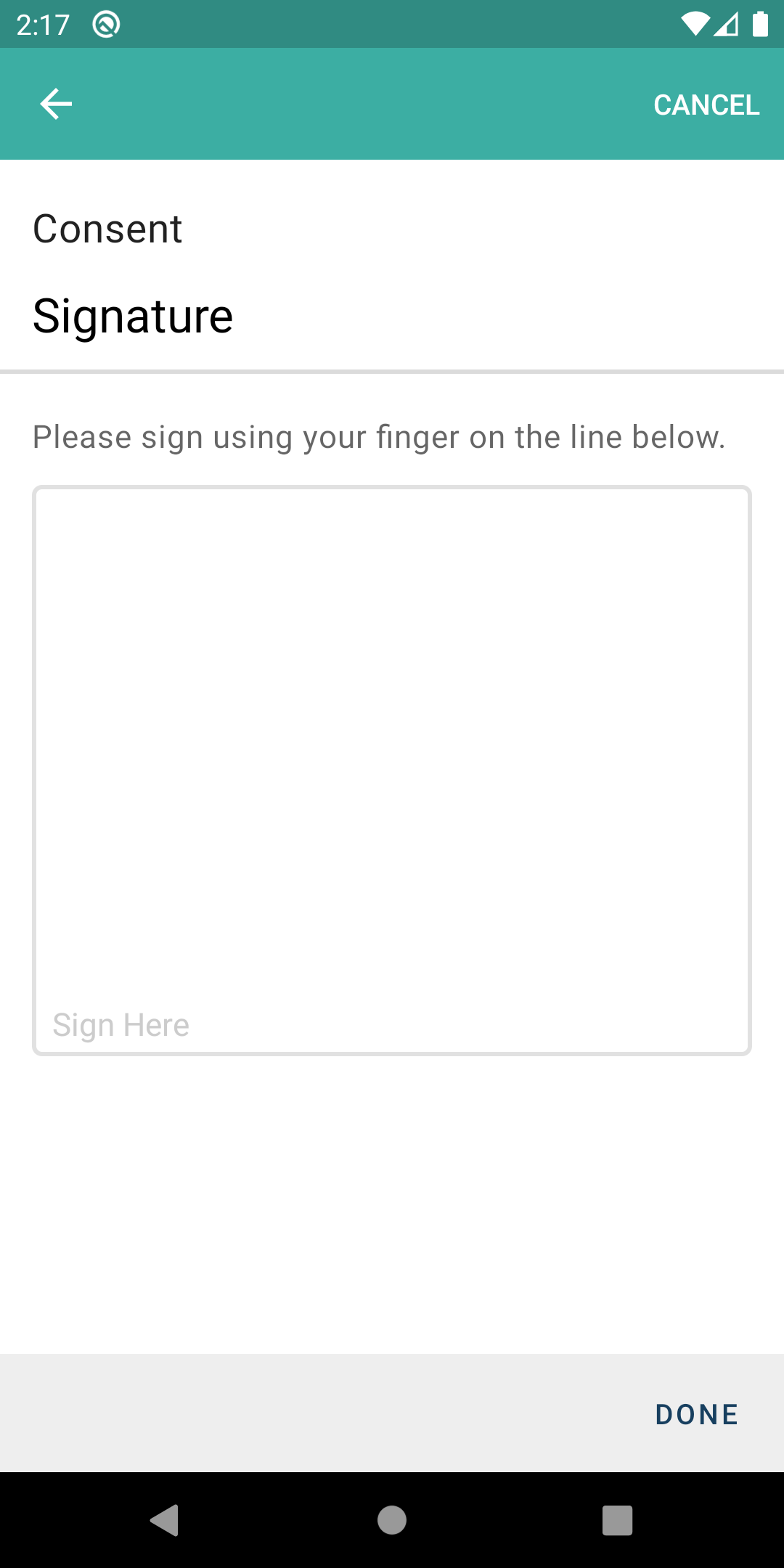
Screenshot_1593605840

^^ The border is too thick compared to the zeplin. The paddings in Sign here are not the same, and the CLEAR button once you sign, is not centered like in the comp.

Other than that, it worked fine. :)

Copy link
Copy Markdown

@Gryzor Gryzor left a comment

Choose a reason for hiding this comment

The reason will be displayed to describe this comment to others. Learn more.

Please see above comments.

@jaimesDSG
Copy link
Copy Markdown
Author

First Consent Page. Expand the image below to see it. I'm always comparing to this zeplin compo and similar ones.

  1. First thing I noticed was the colors. The Theme for the consent is the generic teal, not BLUE like the rest of the app.
  2. the Learn more is not correctly upper-case like in the Zeplin.
  3. The Next button appears to be a secondary color in Zeplin (same as learn more) yet in the app I see it dark blue.

The consent header now is display with the primary color of the step.
The Learn more (and all the more info button) will be on upper-case
The next button is on Dark blue as all the other button on the submit bar. I didn't change anything, it's part of the common submit bar.

Later on...

Here I see the Theme issue. The RadioButtons are themed aquamarine/teal, they should respect the primary theme of the app. This theme issue is observed across the consent so I won't repeat it.

I didn't change the whole theme issue, we didn't have any zeplin for it so i let it as it is :/

In this supposed to look like that with the gray font + gray background?

I change the background because it didn't fit the rest of the application but i let the gray front because it was actually something that change when the value is selected (the value selected is in black, the other are in grey).

  1. ^ This doesn't look/behave like a true MaterialDesign component. I was expecting the "First Name" to be the hint until the box had focus and then move it up, like the control does by design. The text "answer" is redundant and shouldn't even be there.
  2. There's a separator between both text boxes.

This is also the reason why i did this like that. It's more compliant with the rest of the app ( for example the autocomplete step is done like this : zeplin)
The separator is here because we use a formStep for this step and all the "substep" have a separator between them. I prefer to not remove to and break some other layout on another part.

I've compared against the zeplin comp for this screen. I still think that comp is wrong, the "hint" (answer) shouldn't be there. The hint should be First Name and Last Name and they should look like that when you tap on them (sans the "answer" text).

Totally agree with that but we never use this hint behaviour anywhere on the app so i did as usual.

^^ The border is too thick compared to the zeplin. The paddings in Sign here are not the same, and the CLEAR button once you sign, is not centered like in the comp.

This is updated and normally it will be fine 🤞

Other than that, it worked fine. :)

Great :D

PS: I will discuss with Felix about the radio button and the lastName/firstname part

@jaimesDSG jaimesDSG requested a review from Gryzor July 1, 2020 16:14
@norberto-app norberto-app merged commit d4354cb into develop-medable Jul 7, 2020
@norberto-app norberto-app deleted the task/PATAND-267_Update_consent_layout branch July 7, 2020 13:40
Sign up for free to subscribe to this conversation on GitHub. Already have an account? Sign in.

Labels

None yet

Projects

None yet

Development

Successfully merging this pull request may close these issues.

5 participants