This project implements the HP model for protein folding in Python.
The HP model is a simplified approach to explore basic protein folding behaviors via Monte Carlo simulations on the free energy of protein bonds. It reduces protein sequences to two amino acid categories: H (hydrophobic) and P (polar). For more information, see this paper or the theory section below.
A command-line application is included, allowing users to input a protein sequence (using all 20 standard amino acids or H/P only), run HP model simulations at chosen temperatures, optionally apply annealing algorithms, and output the energy evolution, protein structures, minimum energy configurations, and compactness.
This project provides a first look at protein behavior and can be used to study transitions to native states as a function of temperature and binding energy. Various tests and comparisons are possible, such as observing the folding behavior when two random adjacent amino acids are swapped.
- Installation & Running
- Parameter Settings
- Repository Structure
- Theoretical Background
- Execution Example
From your terminal, navigate to your desired folder and clone this repository.
After that, move to the project directory:
cd HP_modelAnd activate the virtual environment:
source .venv/bin/activateNext, install all dependencies running:
pip install -r requirements.txtFinally, run the application:
python src/main.pyYou can modify protein sequences, structures, and other parameters by editing the config.yaml file or creating a new
configuration file.
Write the sequence in the sequence field inside config.yaml (uppercase letters only, no quotes). Sequences can use
just H/P monomers or all 20 amino acids (automatically converted to H/P).
Set the number of folding steps via the folding_steps variable under the simulation section in config.yaml.
- Enable or disable annealing:
annealing: trueorannealing: falseinsimulation - Use a specific initial structure: set
use_structure: trueand provide a list of coordinates instructure. Sequence and structure lengths must match! - Set initial temperature:
temperatureinsimulation - Create a GIF of the process:
create_gif: trueorcreate_gif: falseinplot - Set a random seed:
seedinconfig.yaml(orNonefor random)
Copy the syntax from config.yaml and adjust parameters as needed. To use your file, simply update the path in the main
script if necessary. Custom configuration files can use any extension supported by PyYAML.
Example config.yaml structure:
sequence: MGLSDGEWQLVLNVWGKVEADVAGHGQEVLIRSHVWGECPVLPALLSGVRALSESHQKRLRKDSRDDDGDDGDGDNDNDDGDGDDDDGDDDGDNDNDDDDGDGDDDGDGDDDRDDSDGGGGDHADDDNGNDDGDDDGHPETLEKFDKFKHLKTADEMKASEDLKKHGNTVLTALGGILKKKGHHEAELKPLAQSHATKHKIPVKYLEFISDAIIHVLQSKHPGDFGADAQAAMNKALELFRNDMAAKYKELGFQG

structure:
  use_structure: false
  coordinates: [ [ 0,0 ], [ 0,1 ], ... ]  # only needed if use_structure: true

simulation:
  folding_steps: 5000
  annealing: true
  temperature: 5.0

plot:
  create_gif: true

seed: 42HP_model/
├── output/
│ └── ...plots and outputs
│── config.yaml
├── src/
│ ├── __init__.py
│ ├── main.py
│ ├── plots.py
│ ├── protein_class.py
│ └── utils.py
├── test/
│ ├── __init__.py
│ ├── config_test.yaml
│ └── test.py
└── requirements.txt
Main Python files:
output/: Directory containing plots and other outputsconfig.yaml: Input configurationsrc/main.py: Runs simulations and saves results tooutput/src/protein_class.py: Defines theProteinclass and key evolution methodssrc/utils.py: Helper functions for validation, configuration, and sequence conversionsrc/plots.py: Plotting functions for results visualization (energy, compactness, structures, GIF creation)test/test.py: Test suite for code validationtest/config_test.yaml: Configuration for test runs (do not modify). To run tests: usepytest test/test.pyrequirements.txt: All dependencies for the project
The HP model simplifies protein folding by categorizing amino acids as either hydrophobic (H) or polar (P). Hydrophobic amino acids cluster inside the protein to avoid water, while polar ones remain on the surface. This model is educational and helps introduce protein folding basics, but real folding involves many more factors. Researchers use more advanced models for accurate predictions.
The folding algorithm is implemented in the Protein class (protein_class.py), with utility functions in
utils.py. Each evolutionary step involves:
- Select a random monomer (from 1 to length-2).
- Randomly choose a move type (
tail_foldinutils.py):
1 = 90° clockwise, 2 = 90° counterclockwise, 3 = 180° rotation, 4 = x-axis reflection, 5 = y-axis reflection,
6 = symmetry on 1st/3rd quadrants, 7 = symmetry on 2nd/4th quadrants, 8 = diagonal move (if possible). - Validate the new structure (no overlaps, neighbor distances = 1). If invalid, repeat.
- If valid, accept or reject the new folded structure according to the Metropolis criterion.
After generating a new structure, its energy is computed and accepted according to the Metropolis algorithm:
- If the new structure's energy is lower, accept it.
- If higher, accept with probability:
Notes:
-
$k_B$ = 1 simplifies the simulation and numerical comparison between runs. - Ensure all inputs are consistently non-dimensionalized going forward (energy, temperature, etc.).
Example: Simulation of the Myoglobin (Camelus dromedarius) protein sequence.
- Simulate 5000 folding steps as indicated in the
config.yamlfile. - Starting temperature: 5.0
- Annealing: true
Results (found in the output/ folder):
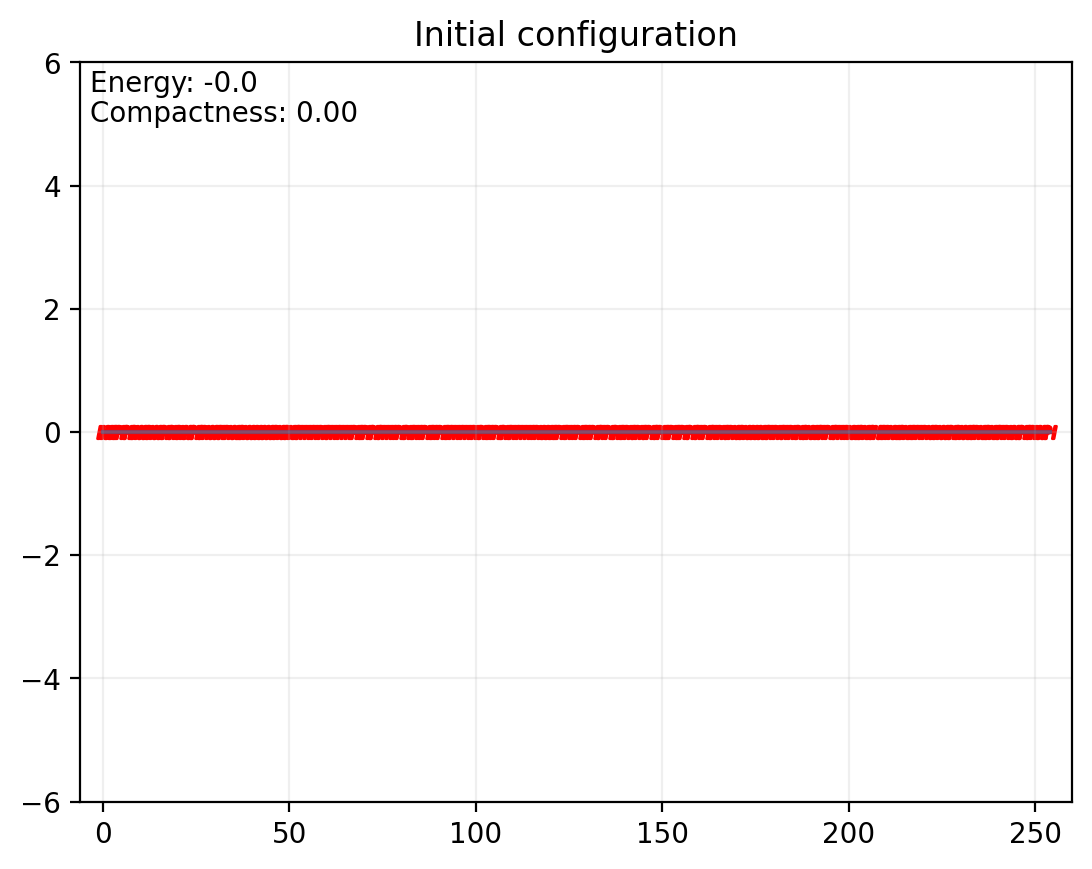
- Initial protein sequence:
- Evolution process:

- Final protein folding:

- Energy evolution:

- Compactness evolution:

- Minimum energy folding

- Maximum compactness folding


The plots show how energy and compactness stabilize as the temperature decreases. Lowest energy does not necessarily correspond to the highest compactness.